Keeping track of what you own, store, or sell is much easier with a ready-made inventory list template. On this page, you can download 36 free inventory list templates in Excel and Word for home inventory, business stock, office supplies, equipment, restaurants, IT assets, medical supplies, moving, and much more. Each inventory template comes with a preview image and a free download button, so you can choose the right format, add your own items, and start managing your stock in minutes.
Along with the free inventory spreadsheets, this guide explains what an inventory list is, why it matters, which details to include, and how to create an inventory list in Excel step by step. If you also need to report stock levels to management, take a look at our stock report templates in Excel.
What is an Inventory List?
To put it simply, an inventory list is a record or list of all the inventory items that a person, a business, or an organization currently has at its disposal. It is always a good practice to stay organized in your personal as well as professional lives. In a business or at home, it is always important that you stay updated on the inventory items in your possession.
The inventory list is also known sometimes as an inventory sheet, stock sheet, or stock list. Maintaining a properly updated record of inventory items that are in your possession is crucial to any business. If you don’t have a track of your inventory at a certain date and you don’t know what is its total cost, it might create a lot of trouble for you.
Purposes of an inventory list: An inventory list is an important record of any business setting. The details and information in an inventory list help you analyze your current situation. Following are some of the main purposes or objectives of an inventory list:
- Maintaining the balance of supply and demand.
- Managing the current stocks and their updated records in an organized way.
- Preventing any future issues or confusion related to the inventory.
- Helps the management to operate smoothly.
Free Inventory List Templates in Excel & Word
Browse the printable inventory list templates below. Each one is fully editable, so you can add columns, change categories, and insert your company logo before downloading or printing.
Medical Inventory List Template

File Size: 325 KB
Household Inventory Checklist Template

File Size: 130 KB
First Aid Inventory List Template in WORD

File Size: 19 KB
Sample Home Inventory List Template

File Size: 327 KB
Free Printable Inventory List Template

File Size: 349 KB
Home Inventory Contents List Example

File Size: 34 KB
Equipment Inventory List Example

File Size: 23 KB
Grocery Inventory List Template

File Size: 329 KB
Fillable Office Supplies Inventory List in DOC Format

File Size: 08 KB
Stock Inventory Excel Sheet

File Size: 08 KB
Business Inventory List Template

File Size: 338 KB
Online Clothing Inventory List Template

File Size: 348 KB
Benefits of Using an Inventory List
An inventory list is an easy-to-make simply document that can save the businesses from future losses. Almost every type of business, regardless of its size or nature of its operations, use inventory lists. It is one of the most effective tools to let you know and analyze your current position or standing.
Besides business use, an inventory list is also useful for personal purposes. For example, you can make a simple home contents inventory list for insurance, a kitchen or pantry inventory to plan grocery shopping, or a moving inventory checklist to make sure nothing gets lost. For everyday household and office routines, our daily use checklist templates work perfectly alongside an inventory list.
Creating such a document can always prove to be of great help when it comes to effective management. Following are some of the benefits of using an inventory list:
- An inventory list is one of the best tools to stay organized whether it be used in a business or personal setting.
- With an inventory list or a stock list, you can always have a check on your current stocks.
- The inventory can be handled and managed quite smoothly with the help of an inventory list.
- It helps you maintain a good balance between your different inventory items. For example, if you have different types of stocks, an inventory list will enable you to keep a proper balance between them. It also helps you to avoid ordering too much for a particular stock.
- An inventory list can be used as a tool to manage and cross-check or cross-verify the products and orders.
- Using a free suitable and easily editable inventory list template, like the ones that are available here on this page, can save a lot of your time and effort.
- A properly prepared inventory list also protects your investment and saves you money.
- On the basis of the inventory records and stock reports provided by the inventory lists, the management can make effective plans for the future. It also enables them to take important decisions on a timely basis.
- An inventory list is also effective in locating your inventory items with ease.
- Especially for a business, it is important to keep a high turnover inventory ratio. A properly prepared inventory list can help you achieve that task with ease.
- An inventory list is effective in managing the reordering.
Best Inventory List Templates for Home & Business
Salon Inventory List Excel Template

File Size: 332 KB
Moving Inventory List Example

File Size: 07 KB
Home Contents Inventory List Sample

File Size: 24 KB
Simple Inventory List Word Template

File Size: 08 KB
Inventory List Sample Excel Sheet

File Size: 05 KB
Example Housekeeping Inventory List Template

File Size: 332 KB
Restaurant’s Inventory List Template in MS EXCEL

File Size: 329 KB
Simple Inventory List Example

File Size: 08 KB
Free Editable Gym Inventory List Excel Spreadsheet

File Size: 09 KB
Sample Equipment Inventory List Template

File Size: 332 KB
Vehicle Inventory List Template in XLSX Format

File Size: 349 KB
Free Editable Inventory List Spreadsheet

File Size: 27 KB
How to Create an Effective Inventory List?
An effective inventory list can be created by using the inventory list templates in excel that are available here on this page. You can simply download an inventory list format of your choice and edit its contents to use it for your own purposes.
However, if you want to create your own inventory list in the Microsoft Excel program completely from scratch, we have got some useful tips for you below. But before that, let’s see what are some key elements that you must keep in mind while preparing an inventory list.
Key elements of an inventory list: Whether you track home belongings or warehouse stock, almost every inventory list should include the following details:
- Details of the locations where you keep your inventory items.
- Correct units of measurements for each type of inventory item.
- Unique but brief descriptions of each and every inventory item.
- Per unit price and total costs of every inventory item.
- Details of the opening stock, purchases, and closing stock.
- Item number or SKU (stock keeping unit) and a barcode, if you use one.
- Reorder level and reorder quantity, so you know when to buy more stock.
- Details of the suppliers or vendors (optional, but very helpful for reordering).
How to create an inventory list in Excel: As mentioned earlier, it is always important to include the above-mentioned elements in your inventory list. If you want to create an inventory list in excel, make sure to keep in mind the following steps:
- Launch the Microsoft Excel program and open a blank worksheet.
- At the start create a header for your inventory list and add a title. Your title will indicate what type of inventory list you are creating, for example, a lab equipment inventory list, home inventory list, product inventory list, etc.
- Add the period for which you are creating your inventory list. A daily, weekly, biweekly, monthly, quarterly, semi-annual, or annual inventory list can be created depending upon your requirements.
- Make sure to format and design your inventory list in such a way that it is easily readable and understandable for everyone. For that, adjust the length and width of rows and columns as required.
- Continue formatting and adding your details to the blank worksheet as per your requirements.
- Keep your inventory list up to date so as to maintain a smooth track of the inventory.
- Once you are done, save your document. Whenever you need to create another type of inventory list, you can simply open this file, edit its contents as per the situation, and then save it separately under a different file name.
- Make sure to consolidate your data on regular basis.
- Always review the inventory list for any mistakes or errors. Make sure to rectify or correct any such errors or mistakes right away.
More Free Inventory List Templates
Company’s Inventory List Template in MS WORD

File Size: 12 KB
Club’s Sports Inventory List Sheet Template

File Size: 09 KB
Classroom’s Inventory List Template

File Size: 332 KB
Detailed Monthly Inventory List Excel Sheet

File Size: 09 KB
Simple Inventory List Template in XLSX Format

File Size: 24 KB
Corporate Inventory List Sample

File Size: 490 KB
Blank Inventory List Template

File Size: 08 KB
Latest IT Inventory List Template

File Size: 346 KB
Typical Chemical Inventory List Template

File Size: 326 KB
Handy Inventory List Template Free Printable

File Size: 12 KB
Sample Home Contents Inventory List Example
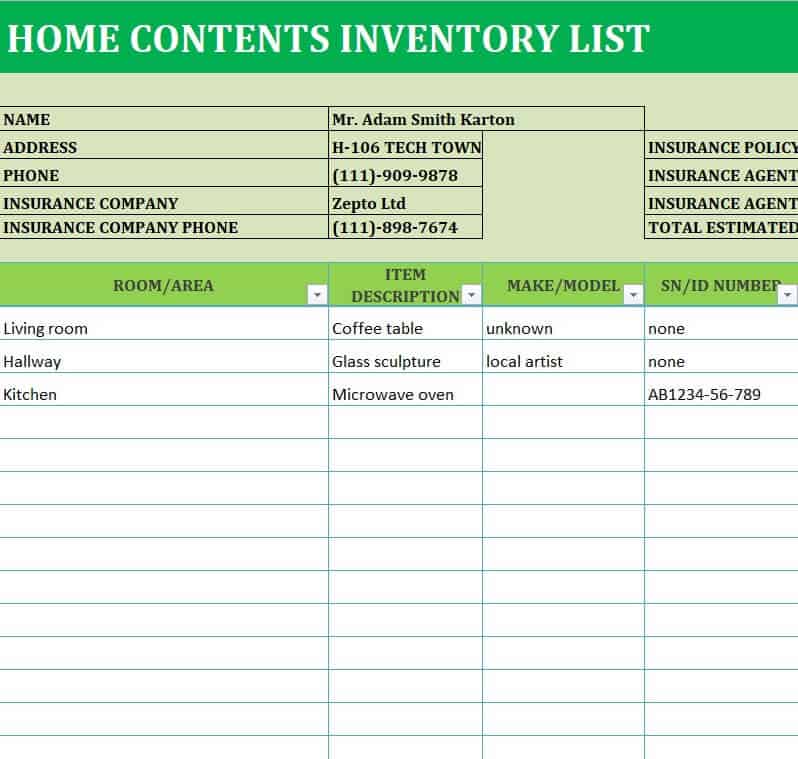
File Size: 06 KB
Office Supply Inventory List Template

File Size: 348 KB
Common Types of Inventory Lists
Different people and businesses need different kinds of inventory records. The templates on this page cover all of the most popular types:
Home inventory list: A home contents inventory records furniture, electronics, jewelry, and other belongings with their value, purchase date, and photos. It is extremely useful for home insurance claims after theft, fire, or flood damage.
Business and retail stock inventory: Shops, online stores, and wholesalers use a product inventory sheet to track stock on hand, units sold, reorder levels, and the total value of stock.
Equipment and IT asset inventory: Offices, schools, gyms, and IT departments keep an equipment inventory list with serial numbers, locations, assigned users, and maintenance dates.
Restaurant and food inventory: Restaurants, cafés, and caterers track ingredients and supplies to control food costs, reduce waste, and avoid running out of popular items.
Office supplies, medical, and chemical inventory: Clinics, labs, and offices use specialized inventory sheets to track consumables, expiry dates, and safety information.
Moving inventory list: When moving house or office, a moving inventory checklist helps you number boxes, list their contents, and confirm that everything arrives safely.
Inventory Management Tips
Count stock regularly: Do a full physical count at least once a year and smaller cycle counts every week or month. Compare the count with your inventory spreadsheet and fix any differences right away.
Use consistent item names and codes: Give every item a unique SKU or item code. Consistent naming prevents duplicate entries and makes searching and filtering in Excel much faster.
Set reorder points: Add a reorder level column and use Excel conditional formatting to highlight items that are running low. This simple trick prevents stockouts and over-ordering.
Record every movement: Log stock in, stock out, returns, and damaged items as they happen. A simple log book template or activity log can help your team record these movements.
Link inventory to purchasing and production: If you manufacture or assemble products, connect your inventory list with a bill of materials (BOM) template and a material list template so you always know which raw materials you need.
Back up your file: Save your inventory spreadsheet in the cloud (for example OneDrive or Google Drive) so you never lose your records and can share them with your team.
Frequently Asked Questions (FAQs) About Inventory Lists
What should be included in an inventory list?
A good inventory list includes the item name, item code or SKU, description, category, location, quantity on hand, unit of measure, unit cost, total value, reorder level, and supplier details. Home inventories often add purchase date, serial number, and photos.
How do I make an inventory list in Excel?
Open a blank worksheet, add a title and date, create column headers such as Item, SKU, Quantity, Unit Cost, and Total Value, and format the range as an Excel table. Use a formula like =Quantity*Unit Cost for the total value and add conditional formatting to flag low stock. Or simply download one of the free inventory list templates above.
Are these inventory list templates free?
Yes. All 36 inventory list templates on this page are free to download, edit, and print for personal or business use.
What is the difference between an inventory list and a stock report?
An inventory list is a running record of every item you hold. A stock report is a summary prepared for a specific period that shows opening stock, purchases, sales, and closing stock, often for management or accounting.
How often should I update my inventory list?
Businesses should update inventory records every time stock comes in or goes out, with a physical count weekly, monthly, or quarterly. A home inventory should be reviewed at least once a year and after any major purchase.
Can I use these templates in Google Sheets?
Yes. Upload the Excel file to Google Drive and open it with Google Sheets. Most formatting and formulas will work without any changes.
Conclusion
A well-organized inventory list saves money, prevents stock shortages, and makes insurance claims and audits far less stressful. Download any of the 36 free inventory list templates in Excel and Word above, customize the columns to fit your needs, and keep your records up to date to stay in full control of your stock.