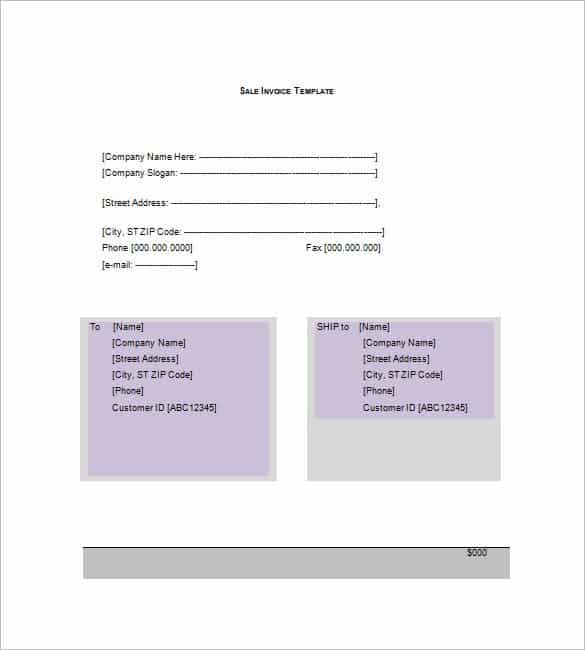
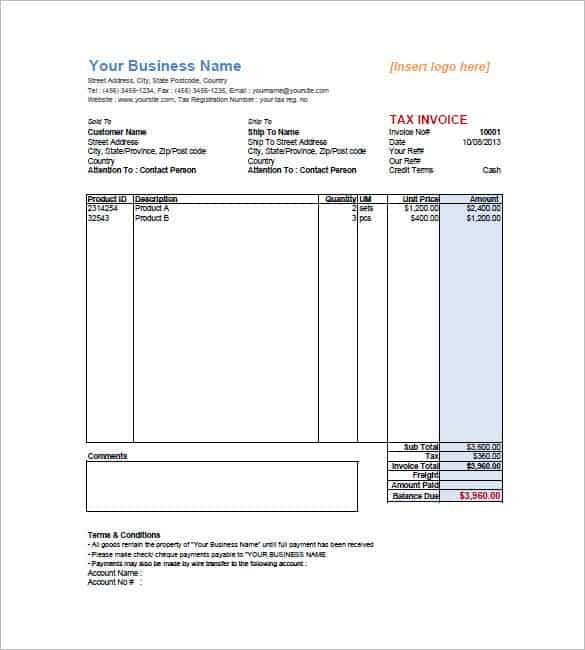
A professional sales invoice helps you get paid on time and keeps your sales records organized. On this page you can download 4 free sales invoice templates, including a used car sales invoice, a general sales invoice template, a simple sales invoice and a sales invoice template in PDF format. Each template includes your business details, invoice number, customer information, item descriptions, quantities, unit prices, taxes, totals and payment terms, ready to customize and send to customers.
Sales Invoice Basics
A sales invoice is a document a seller issues to a customer to record a sale and request payment. It is one of the most important business documents because it proves each sales transaction, supports your accounting and tax records, and tells the customer exactly how much to pay and by when. An effective invoicing system helps every business get paid quickly and maintain healthy cash flow.
What to include on a sales invoice: Business name and logo, invoice number and date, customer name and address, description of goods or services, quantity, unit price, discounts, taxes, total amount due, shipping details and payment terms. Including every detail accurately leaves no room for confusion and shows customers that your business is professional and trustworthy.
Why use a template: An Excel expert can build invoices from scratch, but most small business owners would rather not. Instead of paying for invoicing software, download a free sales invoice sample below. Whether you sell products or services, an editable template with your business details and logo lets you create detailed invoices for every customer quickly on your own computer.
How to use these templates: Download a sales invoice template and add your business name, address, logo and tax number. For each sale, enter a new invoice number, the date, the customer’s details and every item sold with its quantity and price. Check the tax and total, state your payment terms and due date, then print the invoice or save it as a PDF and email it to your customer. Keep a copy of every invoice for your accounts and tax records.
Tip: Use consecutive invoice numbers, state a clear due date and include your bank or online payment details on every sales invoice, so customers can pay quickly without having to contact you.
Download Sales Invoice Templates:

What Is a Sales Invoice?
A sales invoice is a commercial document a seller issues to a buyer after goods are delivered or services are provided, requesting payment for the sale. It lists what was sold, the quantity and price, any taxes and discounts, the total amount due and the payment terms. For the seller, the sales invoice records revenue and creates an account receivable; for the buyer, it serves as a purchase record and supports payment approval and tax claims. Because invoices are legal and accounting records, they must be accurate, clearly numbered and stored safely.
Sales invoices are used by retailers, wholesalers, manufacturers, car dealers, online sellers, service providers and freelancers. Whether you send ten invoices a year or hundreds a month, a ready-made sales invoice template helps you look professional, avoid missing details and get paid faster.
What to Include on a Sales Invoice
Seller details: Business name, logo, address, phone, email, website and tax or VAT registration number.
Invoice number and dates: A unique sequential invoice number, the invoice date, the supply or delivery date and the payment due date.
Customer details: The buyer’s name or company, billing address and, for business customers, their tax number and purchase order number.
Itemized products or services: Description, quantity, unit price and line total for each item, plus product codes or SKUs if you use them.
Discounts, taxes and shipping: Any discounts applied, sales tax or VAT rate and amount, and delivery or handling charges.
Total amount due: Subtotal, tax, shipping and the final total, with the currency shown clearly.
Payment terms and methods: Due date or terms such as Net 15 or Net 30, accepted payment methods, bank details and any late payment fees or early payment discounts.
Notes: A thank-you message, warranty or return information, or delivery details.
Templates in This Collection
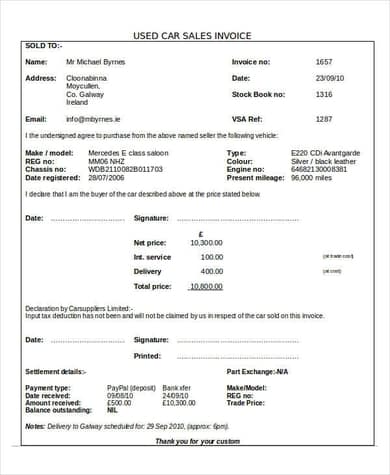
Used car sales invoice: Designed for car dealers and private sellers, with space for vehicle make, model, year, VIN, mileage, sale price, trade-in value and taxes. It is a useful companion to a bill of sale when selling a vehicle.
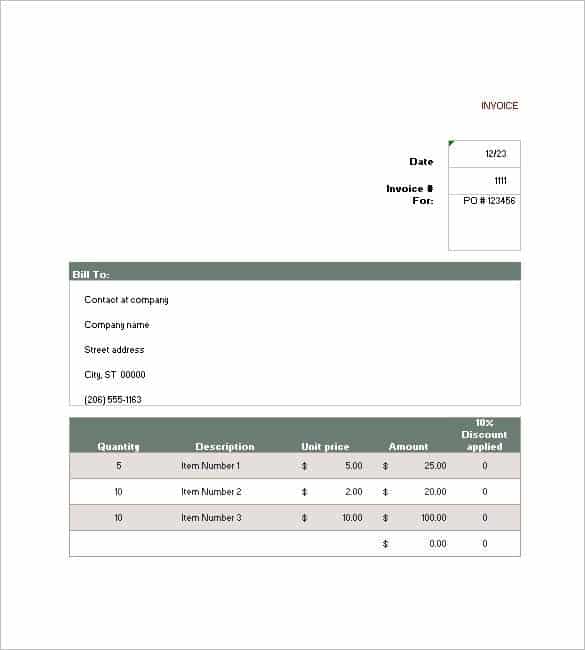
General sales invoice template: A clean, all-purpose layout for product sales, suitable for retailers, wholesalers and small businesses.
Simple sales invoice: A minimal design for freelancers and small sellers who need a quick, professional invoice.
Sales invoice template in PDF format: A print-ready version that can be filled in digitally or by hand.
How to Create a Sales Invoice Using a Template
Step 1 – Download and brand the template: Open the sales invoice template, add your logo, business details and payment information, and save it as your master copy.
Step 2 – Assign an invoice number: Use a consistent numbering system, such as INV-2026-001, so every invoice can be tracked.
Step 3 – Add customer and order details: Enter the customer’s name, address and reference number, and copy item details from the order or quotation you sent earlier.
Step 4 – Calculate totals: Check quantities, prices, discounts and tax. Excel templates calculate totals automatically.
Step 5 – Send and record: Save the invoice as a PDF, email it to the customer, and record it in your sales ledger. When payment arrives, issue a business receipt and mark the invoice as paid.
Sales Invoice vs Other Invoice Types
A sales invoice is issued by the seller to request payment. A purchase invoice is the same document seen from the buyer’s side and recorded in their purchase ledger. A proforma invoice is a preliminary bill sent before delivery, often to request a deposit or support import paperwork, and is not recorded as a sale. A cash sale receipt is issued when payment is made immediately at the point of sale; daily totals of these can be summarized with cash sales report templates.
Tips for Getting Paid Faster
Send invoices as soon as goods are delivered or work is completed, and make the due date and payment methods easy to see. Offer convenient options such as bank transfer, card or online payment links. Use clear item descriptions so customers do not delay payment with questions. Send a polite reminder a few days before the due date and follow up promptly on overdue invoices. Keep copies of all invoices for the period required by your local tax rules, and review unpaid invoices every week to protect your cash flow.
Common Invoicing Mistakes to Avoid
Missing information: Invoices without a due date, invoice number or clear item descriptions are often delayed while customers ask questions. Always check every field before sending.
Wrong customer details: Sending an invoice to the wrong person or with the wrong purchase order number can delay payment by weeks in larger companies.
Calculation errors: Mistakes in quantities, discounts or tax make invoices look unprofessional and may require credit notes. Excel templates with formulas reduce this risk.
Inconsistent numbering: Skipped or duplicated invoice numbers cause confusion in your books and can raise questions during tax inspections.
No follow-up: Many late payments happen simply because nobody reminded the customer. Track due dates and follow up politely.
By avoiding these mistakes and using the same professional sales invoice template for every customer, you create a consistent, trustworthy billing process that supports healthy cash flow and makes month-end bookkeeping much simpler.
Storing your invoices: Save a copy of every sales invoice in a dated folder, either on paper or as a PDF, and back up digital files regularly. Keep a simple sales register that lists invoice numbers, customers, amounts and payment dates. These records support your accounts, tax returns and any customer queries later.
Frequently Asked Questions
What is a sales invoice?
A sales invoice is a document issued by a seller to a buyer listing goods or services sold, prices, taxes, the total due and payment terms.
What is the difference between a sales invoice and a receipt?
An invoice requests payment, while a receipt confirms that payment has been received.
Do invoice numbers need to be sequential?
Many tax authorities require unique, sequential invoice numbers, and sequential numbering makes bookkeeping and audits much easier.
Can I use a sales invoice template to sell a used car?
Yes. This collection includes a used car sales invoice with fields for vehicle details, price and taxes.
What payment terms should I use?
Common terms are due on receipt, Net 15 or Net 30. Choose terms that suit your cash flow and your customers’ expectations.
Are these sales invoice templates free?
Yes. All 4 sales invoice templates on this page are free to download and edit.
Conclusion
A professional sales invoice makes your business look trustworthy and helps you get paid on time. Download a free sales invoice template from this page, add your branding and start sending clear, accurate invoices to every customer.