Managing employee payroll accurately is essential for business operations of any size. A salary sheet—also referred to as a payroll summary sheet or wage calculation log—allows finance teams, HR managers, and business owners to track base salaries, overtime hours, bonuses, tax deductions, and net pay settlements across their workforce.
Whether you operate a small enterprise, run an educational institution, or oversee industrial manufacturing teams, using pre-designed printable salary sheet templates in Microsoft Excel (.xlsx) and Word (.docx) streamlines administrative workflows, reduces accounting errors, and establishes clear financial documentation for tax audits.
What Is a Salary Sheet and Why Is It Essential?
A salary sheet is a structured financial register that details the total compensation owed to employees during a specific pay period—whether weekly, bi-weekly, or monthly. It aggregates base pay rates, allowances, overtime pay, and statutory deductions (such as income tax, health insurance, and provident funds) to compute the exact net pay for every worker.
Maintaining updated payroll logs offers several key advantages:
- Accurate Financial Recordkeeping: Provides transparent human resource expenditure data for general ledger accounting.
- Cost Allocation & Budgeting: Essential for manufacturing operations where direct labor costs directly affect product pricing models.
- Audit Readiness & Legal Compliance: Guarantees proper accounting for statutory taxes, social security contributions, and labor fund deductions.
- Timely Financial Decision-Making: Helps leadership monitor overhead trends and make proactive staffing decisions.
Essential Columns Every Salary Sheet Must Include
To build a complete and audit-ready salary calculation document, your template should feature these core data fields:
- Employee Identifiers: Full employee name, designated identification number (ID), and job title.
- Base Compensation: Agreed basic monthly or hourly pay rate.
- Allowances & Perks: Housing allowances, medical coverages, performance bonuses, and travel stipends.
- Gross Salary: Total earnings calculated prior to withholdings (
Basic Pay + Allowances + Overtime). - Deductions: Income tax withholdings, retirement/provident funds, advance repayments, and insurance contributions.
- Net Payable Salary: Final compensation transferred to the employee (
Gross Salary - Total Deductions). - Verification & Approvals: Formal signature blocks for payroll clerks, HR officers, and department directors.
Excel vs. Word Salary Templates
Both formats serve distinct operational purposes within modern payroll administration:
- Microsoft Excel Templates (
.xlsx): Ideal for active calculations. Built-in formulas automatically calculate gross earnings, withholdings, and net payouts instantly across hundreds of employees. - Microsoft Word Templates (
.docx): Best suited for formal administrative summaries, staff reference letters, policy structures, and single-page printable payroll forms.
Explore our collection of 17 free editable salary sheet templates below to download the exact format required for your business.
Salary Sheet Templates in Excel
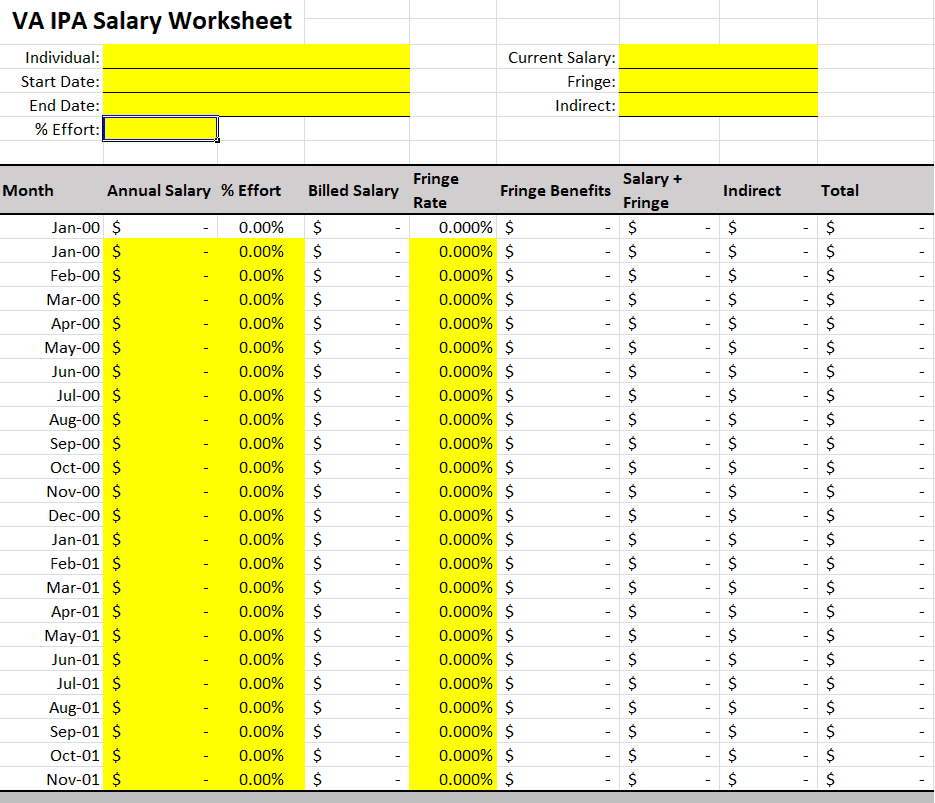
Blank Salary Worksheet Template
This template provides a clear, unformatted financial grid designed for custom payroll setups and manual data entry in Excel. The layout features neatly structured columns for basic employee identification, base salary figures, itemized perk categories, and withholding subtotal rows.
It serves as an adaptable canvas for accounting professionals who prefer entering customized cell formulas or tailoring unique allowance structures. The clean grid ensures straightforward visual readability across large datasets.
File Size: 22 KB
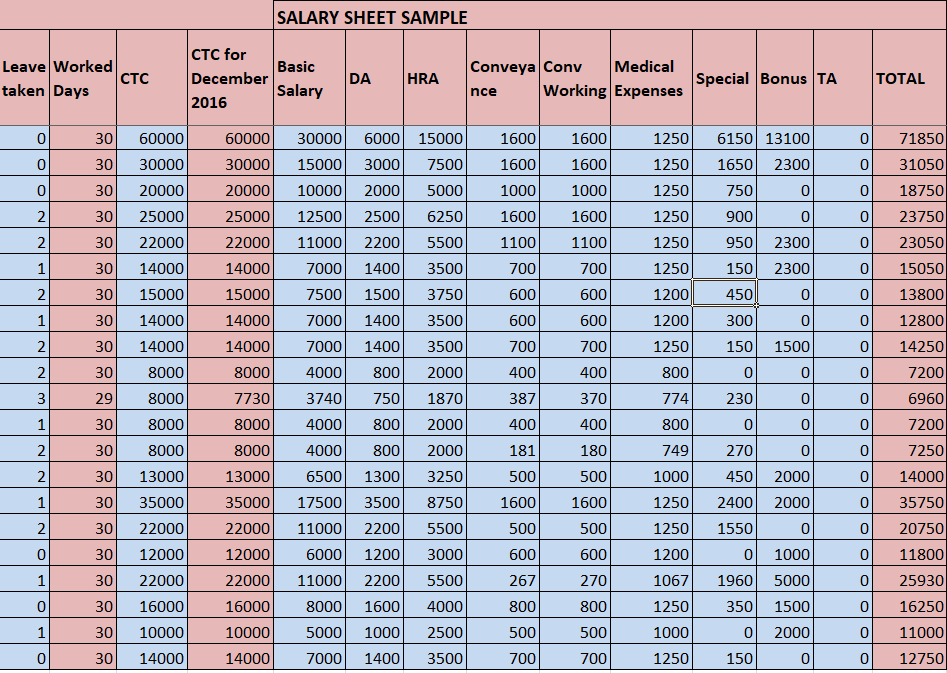
Salary Sheet Sample in XLSX Format
A comprehensive, formula-enabled spreadsheet built for full-scale monthly workforce payroll management. The header area includes corporate identity blocks and payroll period fields, followed by an expanded data table covering overtime calculations, statutory tax deductions, and net payouts.
It includes automated column totals at the bottom to give finance officers immediate summaries of total monthly labor expenses. This format is ideal for medium-sized businesses handling recurring monthly salary runs.
File Size: 73 KB
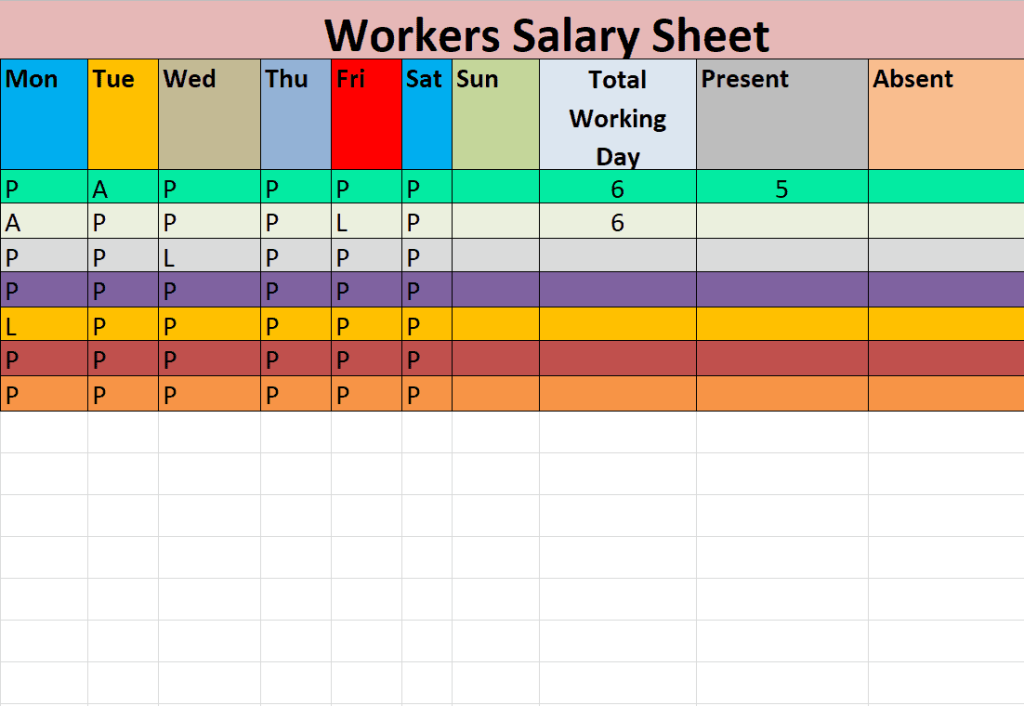
Workers Salary Sheet Template
Tailored specifically for factory supervisors, construction site managers, and hourly labor operations. The visual structure emphasizes wage-tracking parameters, including daily attendance records, billable labor hours, overtime shifts, and piece-rate pay scales.
Its simplified horizontal table allows site supervisors to enter daily attendance metrics and rapidly compute total weekly wages for industrial workers.
File Size: 08 KB
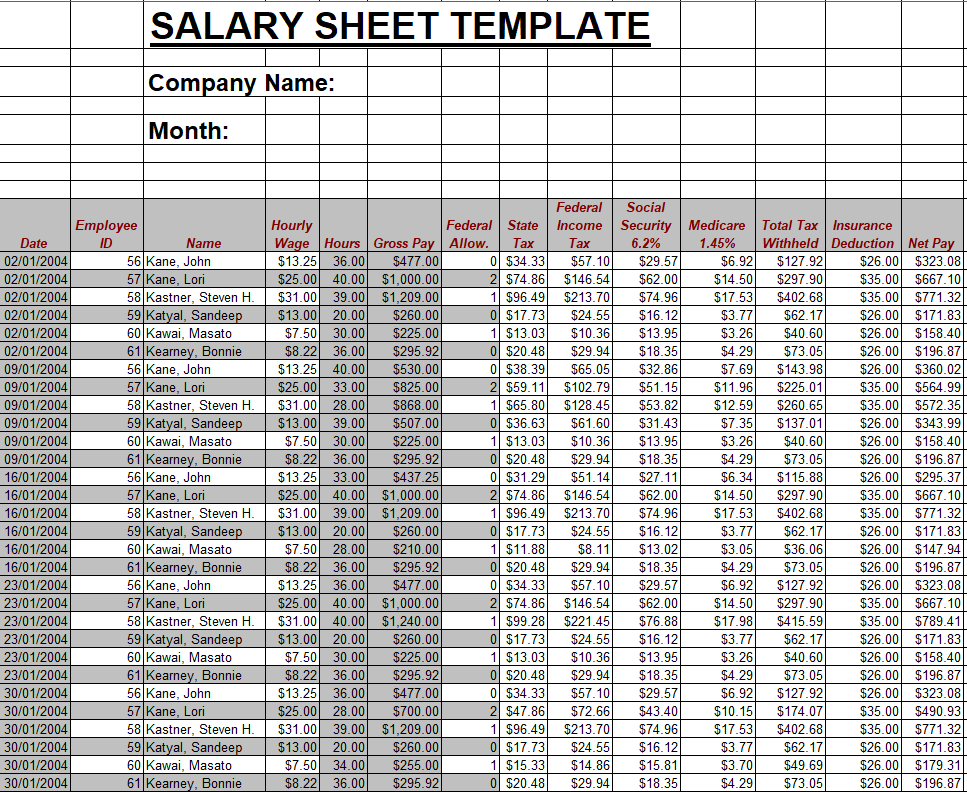
Company’s Salary Sheet Template
An executive-level payroll summary designed for established corporate organizations and multi-department enterprises. The layout incorporates polished corporate branding sections, multi-tiered allowance divisions, and comprehensive deduction sub-tables.
The document includes designated approval rows for finance heads and human resource directors to sign off on monthly distributions, establishing a clear administrative audit trail.
File Size: 136 KB
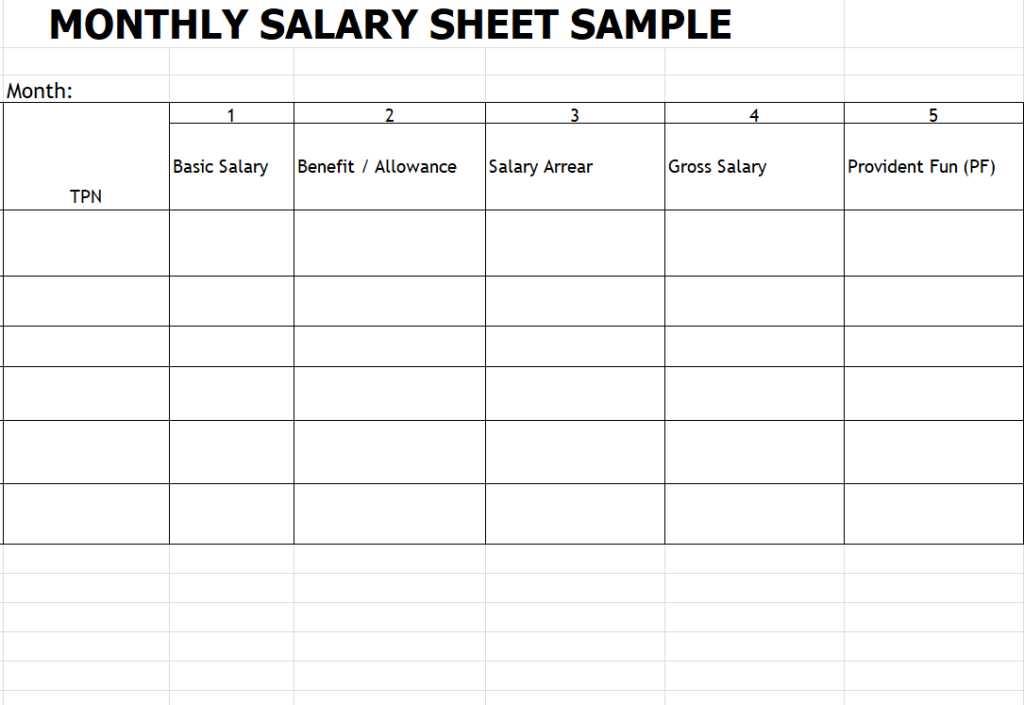
Fillable Monthly Salary Sheet Sample
Designed for quick monthly data entry, this streamlined layout organizes essential payroll variables into a compact, easy-to-read table. Distinct column groupings separate core earnings from statutory employee deductions like health insurance and retirement plans.
Its high-contrast row shading and straightforward design make it an excellent fit for small business owners who need to generate monthly salary records without complex spreadsheet setups.
File Size: 08 KB
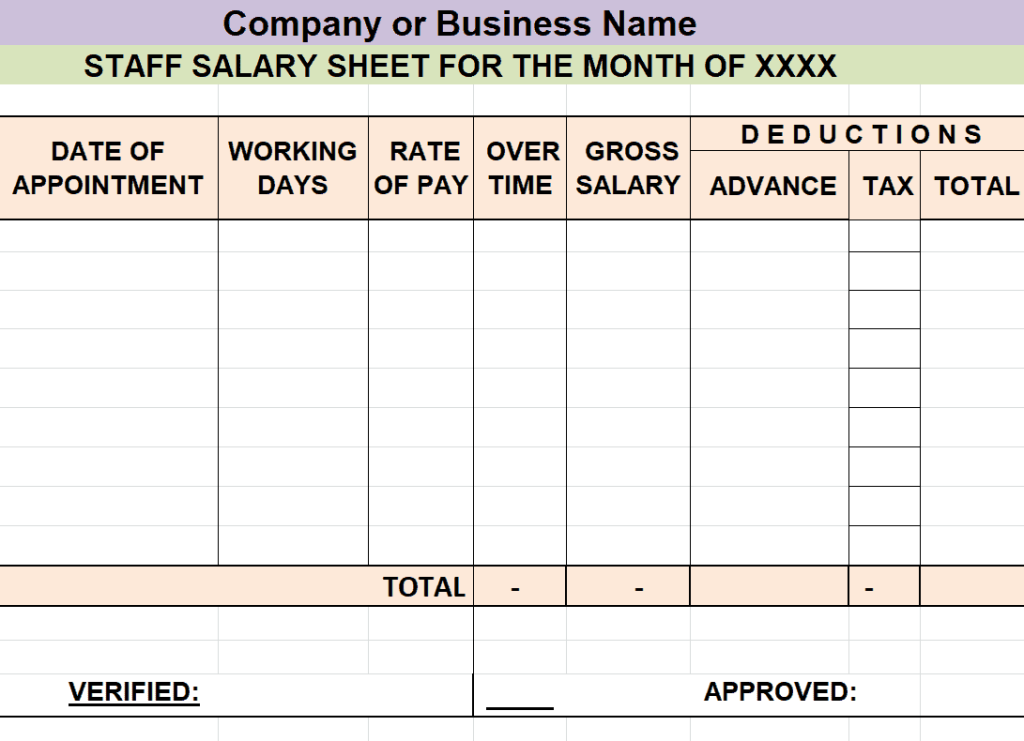
Monthly Staff Salary Sheet Template
Focused on office personnel and administrative staff, this template organizes payroll listings by department and job title. The clean table format tracks base pay, transportation stipends, performance incentives, and net bank transfer details for office teams.
The bottom layout includes total payout summaries that allow HR officers to review department-by-department payroll distribution before initiating bank transfers.
File Size: 09 KB
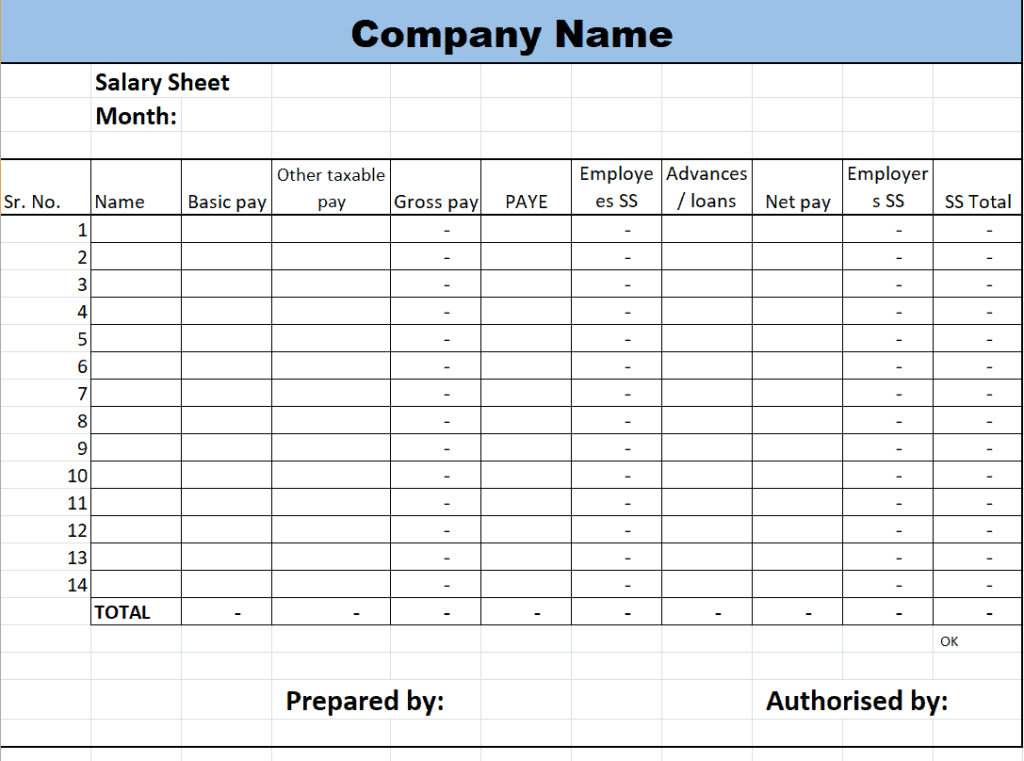
Company’s Monthly Salary Sheet Excel Template
A robust spreadsheet layout structured to calculate recurring monthly salary disbursements across various company branches. The design uses broad horizontal table rows to display basic pay, housing allowances, medical benefits, and tax withholdings side by side.
Built-in summary blocks automatically sum gross and net figures, ensuring business leaders can review overall payroll expenditure at a glance.
File Size: 11 KB
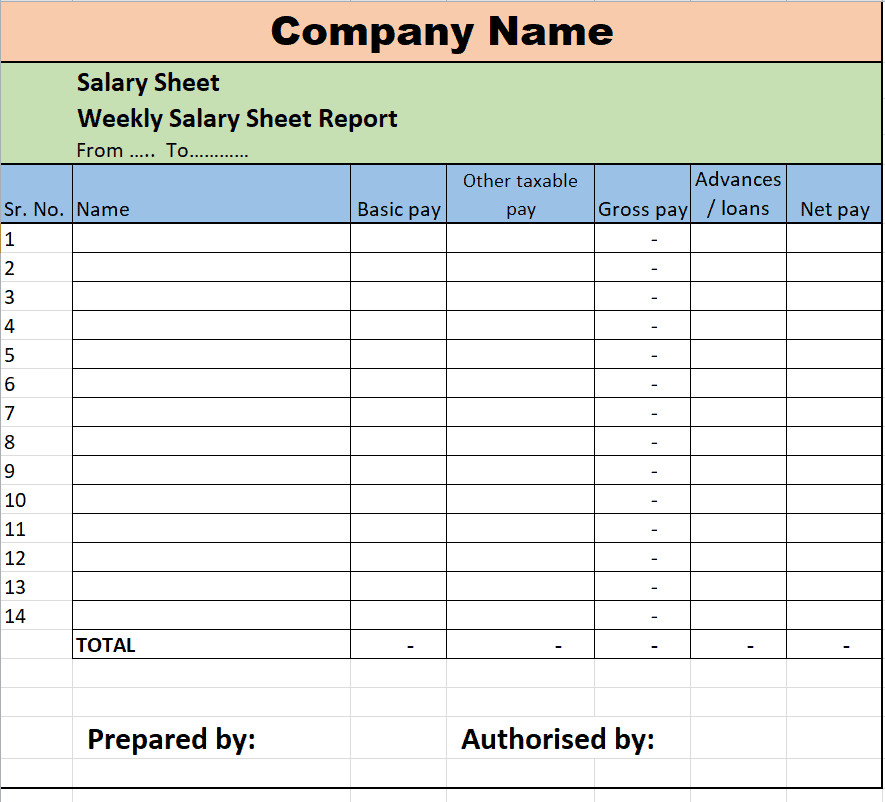
Editable Weekly Salary Sheet Report
Built for short-cycle payroll structures, this template tracks weekly wage payouts, short-term contract compensation, and temporary staffing fees. The spreadsheet features daily hours tracking columns, weekly rate multipliers, and fast net pay totals.
It is particularly useful for retail operations, hospitality venues, and project-based teams operating on weekly billing cycles.
File Size: 09 KB
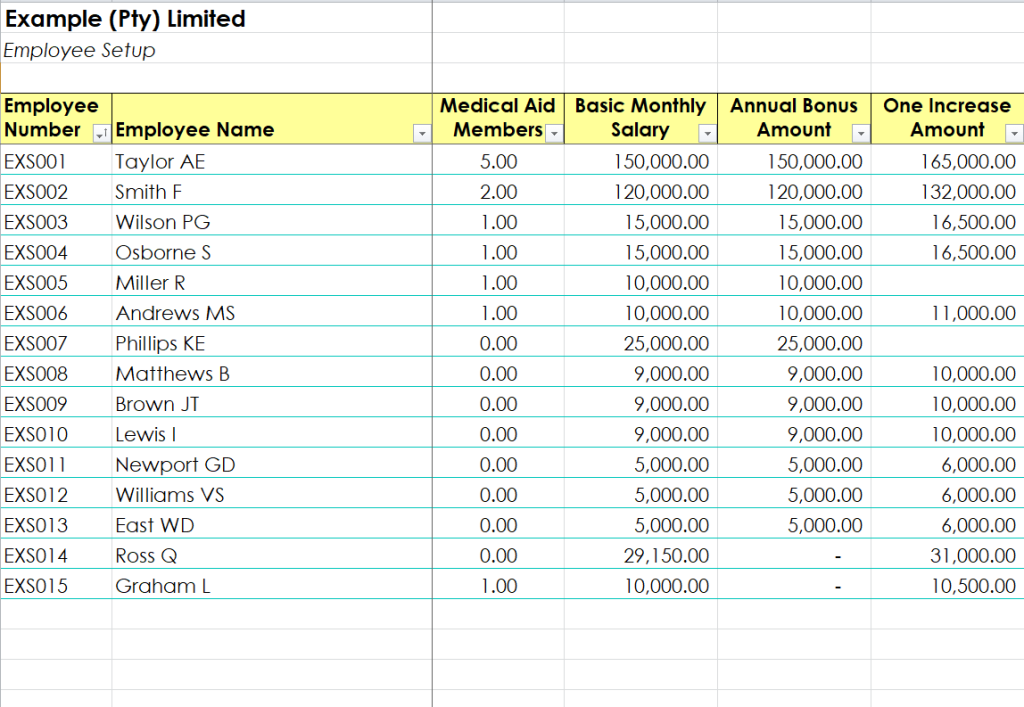
Private Company Payroll Sheet Example
A detailed payroll ledger template tailored for private enterprises requiring thorough recordkeeping for internal tax and legal reviews. The table layout features dedicated sections for employee identification numbers, tax status flags, gross earnings, itemized withholdings, and payment disbursement methods.
The layout delivers a clear, professional visual flow that works equally well as a digital ledger or printed physical record.
File Size: 169 KB
How Businesses Use Salary Sheets
A salary sheet is a detailed sheet usually prepared in Microsoft Excel in order to record the details of the salaries and wages of the organization’s employees. The employees include all the workforce of an organization whether it be a salaried person or a daily wager. It is also sometimes known as a payroll sheet or salary summary. All the data pertaining to the employees is recorded in such a sheet so that the employers can understand the actual amount of salaries they are paying.
A salary sheet is a detailed record of the HR cost of a company. It can be prepared on a weekly, biweekly, or monthly basis. This is a great tool that helps the management and decision makers of an organization in taking important and timely decisions regarding the organization’s workforce or human resources. The payroll costs are an important part of all the costs of a business. Especially if you run a manufacturing business, calculation of actual payroll costs is quite important as this cost also becomes a part of the cost of the product.
In order to stay updated regarding the payroll costs, salary sheets are prepared on regular basis. Mostly, salaries for the month are paid at the start of the next month. However, salary sheets can be prepared by the management on a weekly or biweekly basis so as to get an estimate of their payroll costs. In this article, we have provided you with some useful salary sheet templates and samples. These salary sheet samples will help you create a handy salary or payroll sheet for your own business. So, make sure to check out all these given templates and use any of them suitable to you.
Salary Sheet Templates in Word
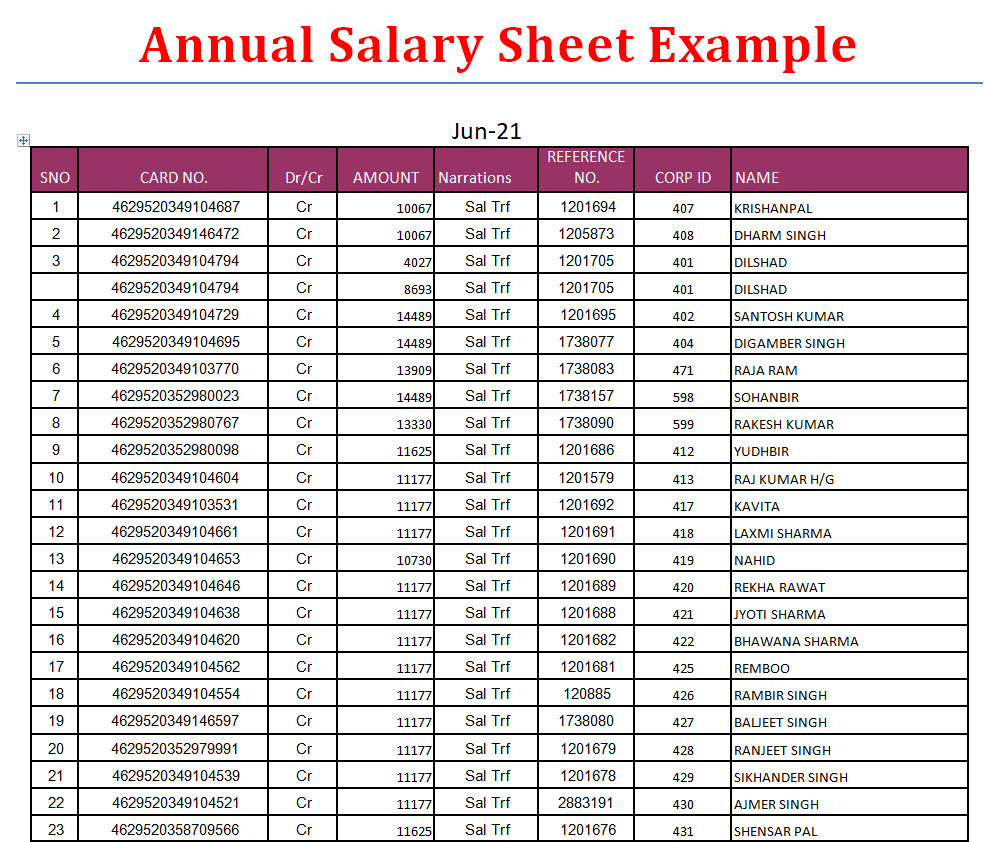
Annual Salary Sheet Example
Designed as an administrative summary document, this Microsoft Word template presents an employee’s total annual compensation history on a single sheet. The upper section displays personal details, while the main table breaks down 12 months of base earnings, bonuses, taxes, and net disbursements.
It provides HR departments with a polished document suitable for issuing annual income statements, loan verification references, or tax support records.
File Size: 29 KB
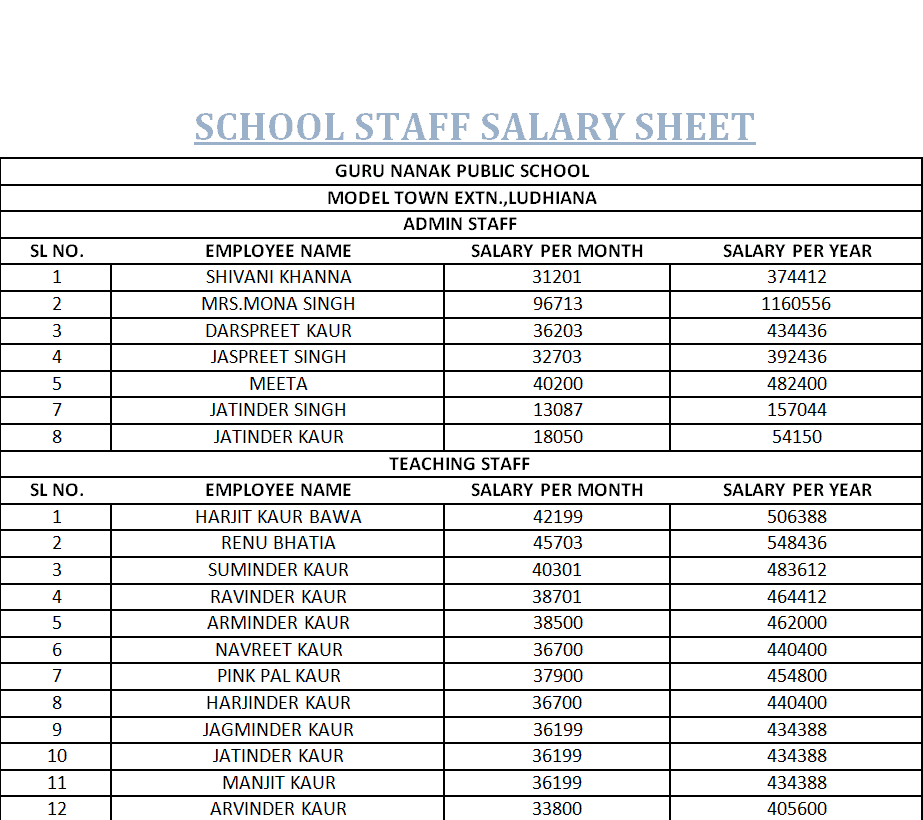
School Staff Salary Sheet Word Template
Tailored for educational institutions, academies, and university administration, this template organizes compensation records for teaching faculty, administrative staff, and support personnel. The clean Word table layout separates academic grades, teaching stipends, loan deductions, and net salary payouts.
It incorporates formal header zones for school board branding and administrative sign-offs, creating an official document for institutional recordkeeping.
File Size: 24 KB
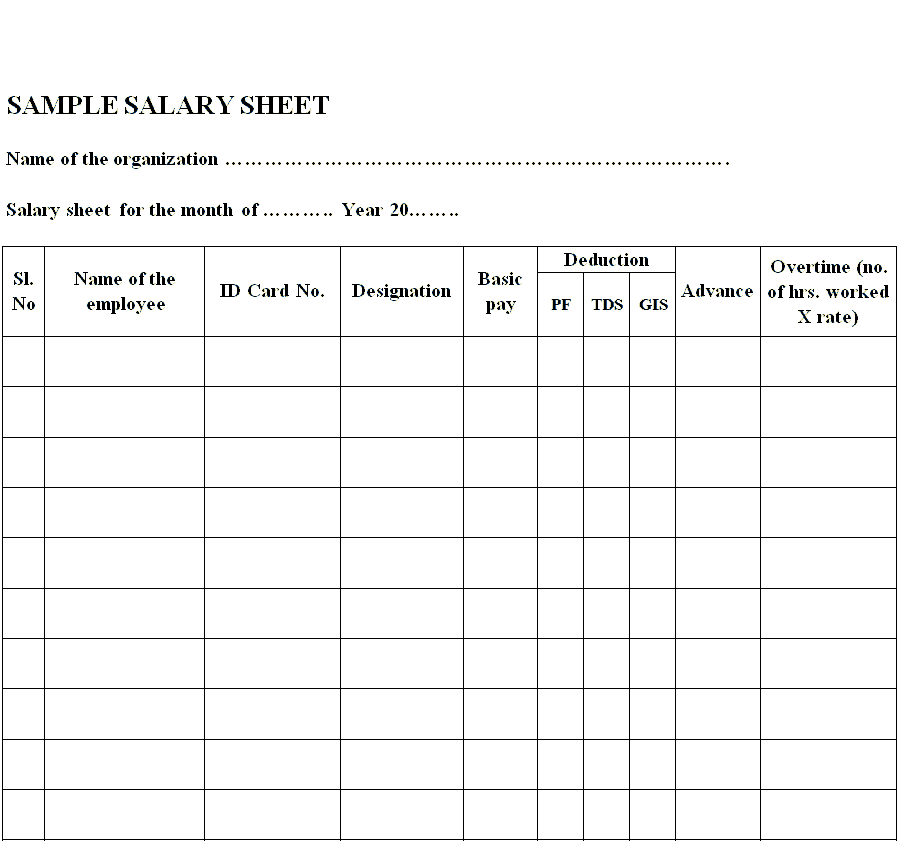
Sample Salary Sheet Template in MS Word
A simple, versatile salary register form designed for quick editing and immediate printing in Microsoft Word. The layout features straightforward fill-in lines and a basic table structure covering employee names, designations, gross amounts, deductions, and net pay.
Its minimal design allows small business owners and sole proprietors to produce clean, legible salary documentation without navigating complex spreadsheet settings.
File Size: 07 KB
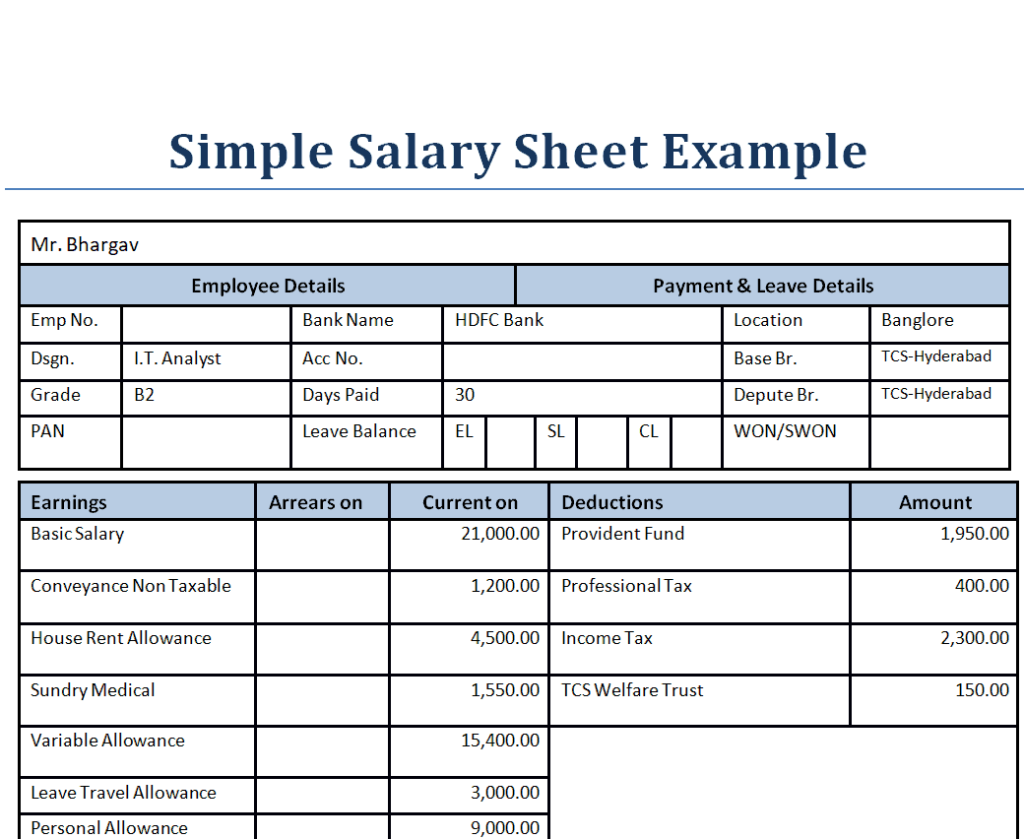
Simple Salary Sheet Example
This user-friendly Word template offers a clean, uncluttered format for recording basic monthly payroll figures. It structures core employee details, pay rates, and net balances into crisp, printable tables.
Its clear typography and standardized layout make it an ideal choice for businesses looking for an easy-to-read paper copy for physical filing.
File Size: 14 KB
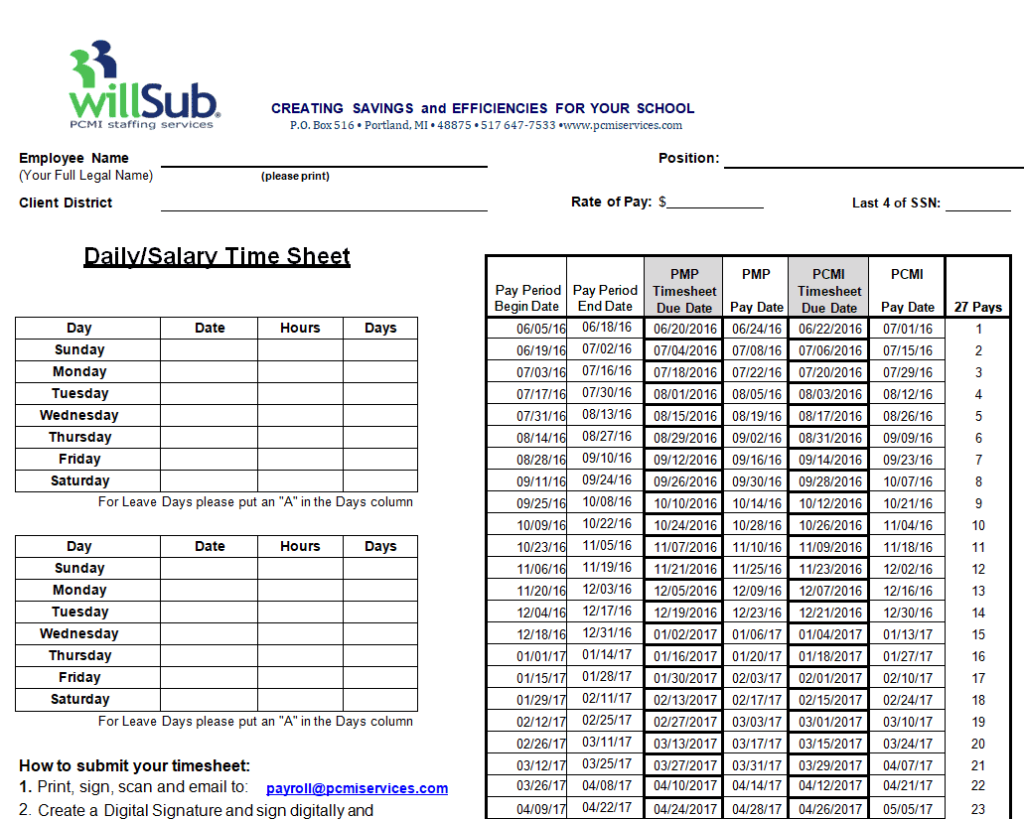
Salary Time Sheet Template in DOC Format
A dual-purpose document that combines daily attendance and shift logging with final salary calculations. The layout features an upper grid for tracking worked days and overtime hours, followed by a bottom payout breakdown that converts recorded time directly into net wages.
It gives project managers and site supervisors an all-in-one form to record time worked and authorize corresponding compensation.
File Size: 22 KB
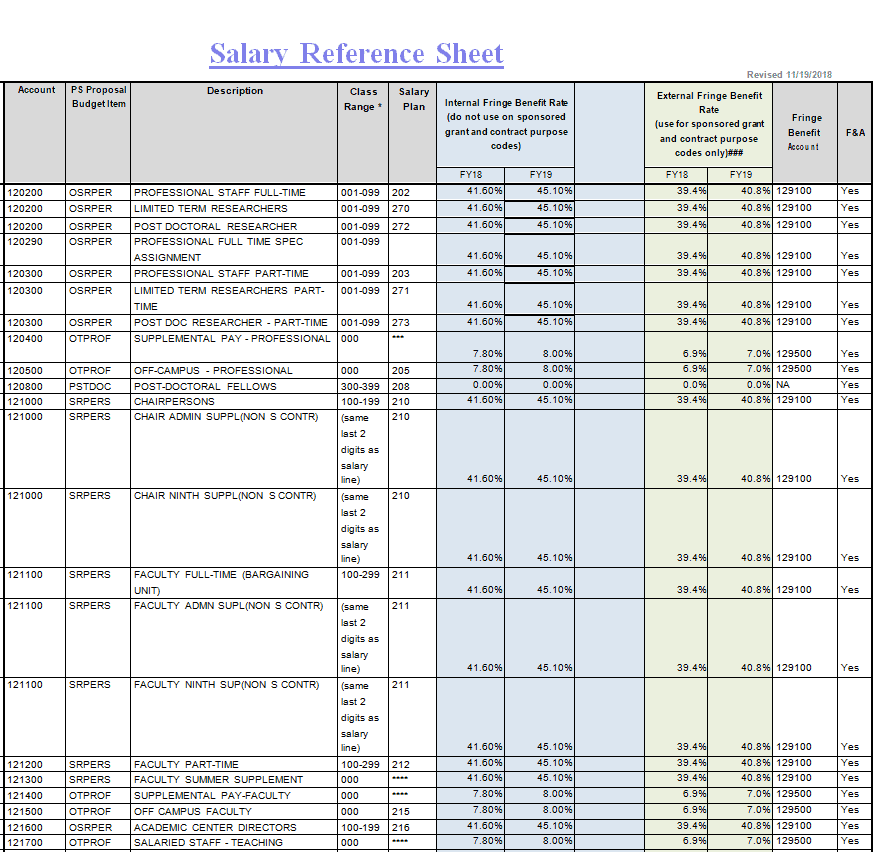
Detailed Salary Reference Sheet Template
Designed for HR policy documentation and internal salary reviews, this comprehensive template outlines employee grade structures, pay scale bands, allowance rules, and deduction guidelines. The structured layout uses formatted callout boxes and organized tables to detail compensation policies clearly.
It serves as an essential reference tool for HR teams during annual appraisal reviews, promotion planning, and recruitment offer structuring.
File Size: 36 KB
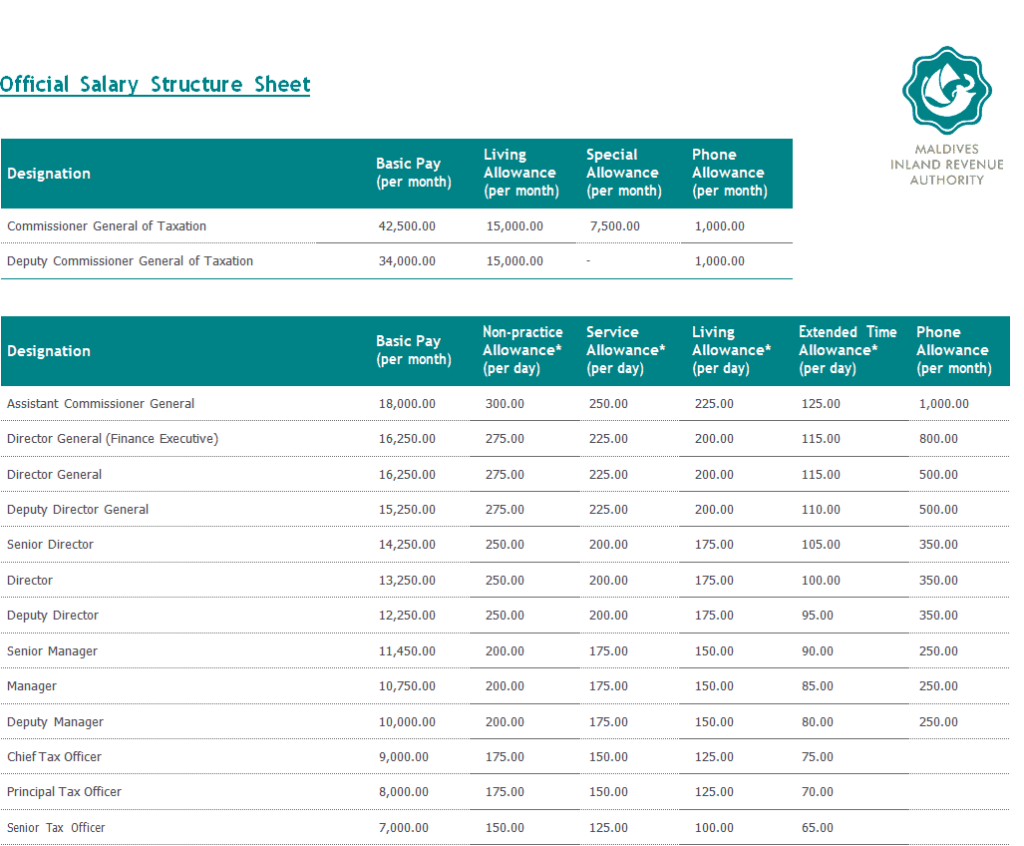
Official Salary Structure Sheet Template
This formal document template outlines the official breakdown of an employee’s complete compensation package. The structured layout details base salary, variable allowances, performance incentives, statutory employer contributions, and tax withholdings.
It is typically issued alongside employment contracts or promotion letters to give employees complete transparency into their overall remuneration package.
File Size: 117 KB
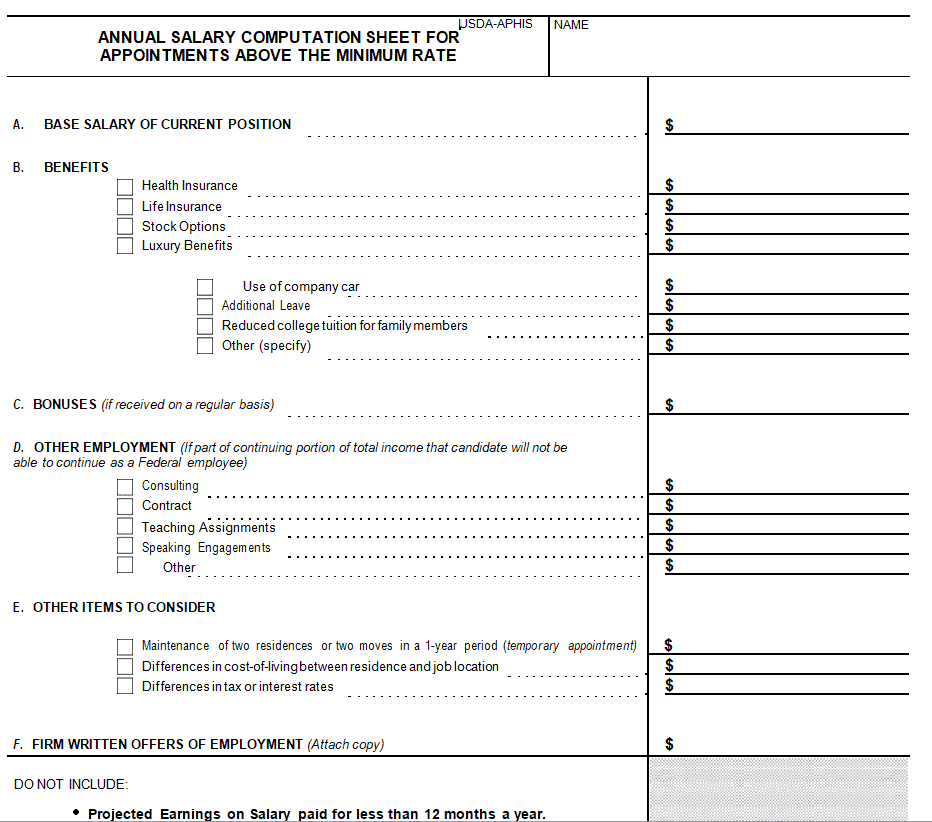
Annual Salary Computation Sheet Template
Built for year-end financial accounting and tax computation, this template calculates annual gross earnings, cumulative tax deductions, and net adjustments across all 12 months. The structured layout incorporates formal calculation blocks and sign-off zones for internal auditors.
It provides accounting teams with a reliable format for summarizing annual labor costs and preparing official year-end corporate tax reports.
File Size: 21 KB
How to Create a Salary Sheet
As mentioned earlier, a salary sheet is a proper record of the payroll costs of a business. A business needs to prepare its payroll costs as they are an important part of the total costs of the business. Such a sheet helps you analyze important things related to human resources, for example, if the payroll costs are exceeding, the management can make timely decisions such as downsizing. Therefore it is quite important that the management must always have up-to-date salary sheets at their disposal. This way they can take important decisions on time.
Pre-formatted salary sheet templates are provided here on this page for your ease and convenience. Using these templates will save a lot of your time and effort. However, if you want to know how to create a salary sheet template from scratch, make sure to include the following basic details in it:
- Include a header that contains the name of the company and its logo. Also, it must include the heading “Salary Sheet” or ” Payroll Sheet”.
- Name of the person making the sheet.
- Duration or time period for which such a sheet is being made i.e., weekly, biweekly, or monthly.
- Starting and ending date.
- Add several columns, the first being a column for serial number.
- Add another column for employees’ names.
- Make the next column for employee codes.
- The next column will be for employee’s designation.
- Then add a column for basic salary. Fill it out with the details for each employee.
- Add another column for perquisites. Here, write the amount of perquisites, bonus, and any other benefits given to each employee.
- Add the amounts from the basic salary and perquisites columns to calculate the amount of gross salary for each employee. The gross salary for every employee will be calculated in a separate column.
- Then make a column for deductions. The deductions will include the amount of tax, provident fund, workers welfare fund, etc.
- Make a separate column for the net salary of each employee. It will be calculated by deducting the amount of deductions from the gross salary.
- Add the amount of net salary for each employee to make up the amount of the total salary. This will be the total payroll costs for the specified period.
- In the case of the manufacturing business, you can prepare a separate salary sheet or wage sheet for daily wagers. This will include almost the same details and information as are mentioned along with the addition of some other details like the number of hours worked, overtime details, etc.
- In the end, leave some space for the signatures of the person to whom the salary sheet will be presented.
- Make sure to proofread the salary sheet before finalizing it so as to avoid any mistakes or errors.
Sample Monthly Salary Sheet
| Employee | Basic | Allowances | Overtime | Gross | Tax | Provident Fund | Net Pay |
| A. Hassan | 60,000 | 15,000 | 5,000 | 80,000 | 4,000 | 3,000 | 73,000 |
| R. Fatima | 45,000 | 10,000 | 0 | 55,000 | 1,500 | 2,250 | 51,250 |
| K. Javed | 30,000 | 6,000 | 2,400 | 38,400 | 0 | 1,500 | 36,900 |
| Total | 135,000 | 31,000 | 7,400 | 173,400 | 5,500 | 6,750 | 161,150 |
Gross = Basic + Allowances + Overtime, and Net Pay = Gross − (Tax + Provident Fund). The figures are illustrative only; tax and fund rates depend on your country and company policy.
Frequently Asked Questions
Q1: What is the primary difference between a salary sheet and a pay slip?
A: A salary sheet is a master internal financial document that summarizes payroll calculations across all employees for a given pay period, whereas a pay slip is an individual receipt issued to a single employee showing their specific earnings and deductions.
Q2: How is net salary calculated on an Excel salary sheet?
A: Net salary is calculated using the formula: Net Salary = (Basic Salary + Allowances + Overtime/Bonuses) - (Tax Deductions + Insurance + Provident Fund + Advances).
Q3: Can these salary sheet templates be customized for hourly daily wagers?
A: Yes. Excel salary templates can be modified to include extra columns for total working hours, hourly billing rates, overtime multipliers, and shift differentials for daily wage labor.
Q4: Are these salary sheet templates free to download and print?
A: Yes, all 17 templates in this collection are completely free to download, fully editable, and formatted for printing in standard letter or A4 size.
The salary sheet is the starting point for other payroll documents. Feed it with data from your attendance sheets, give each employee a payslip, issue a salary certificate when staff need income proof, and keep personal and bank details on an employee information form.
Final Thoughts
A well-kept salary sheet keeps payroll accurate, makes audits easier and shows exactly what your workforce costs. Download any of the 17 free Excel and Word templates above, double-check deductions each month, and get the sheet approved before making payments.